

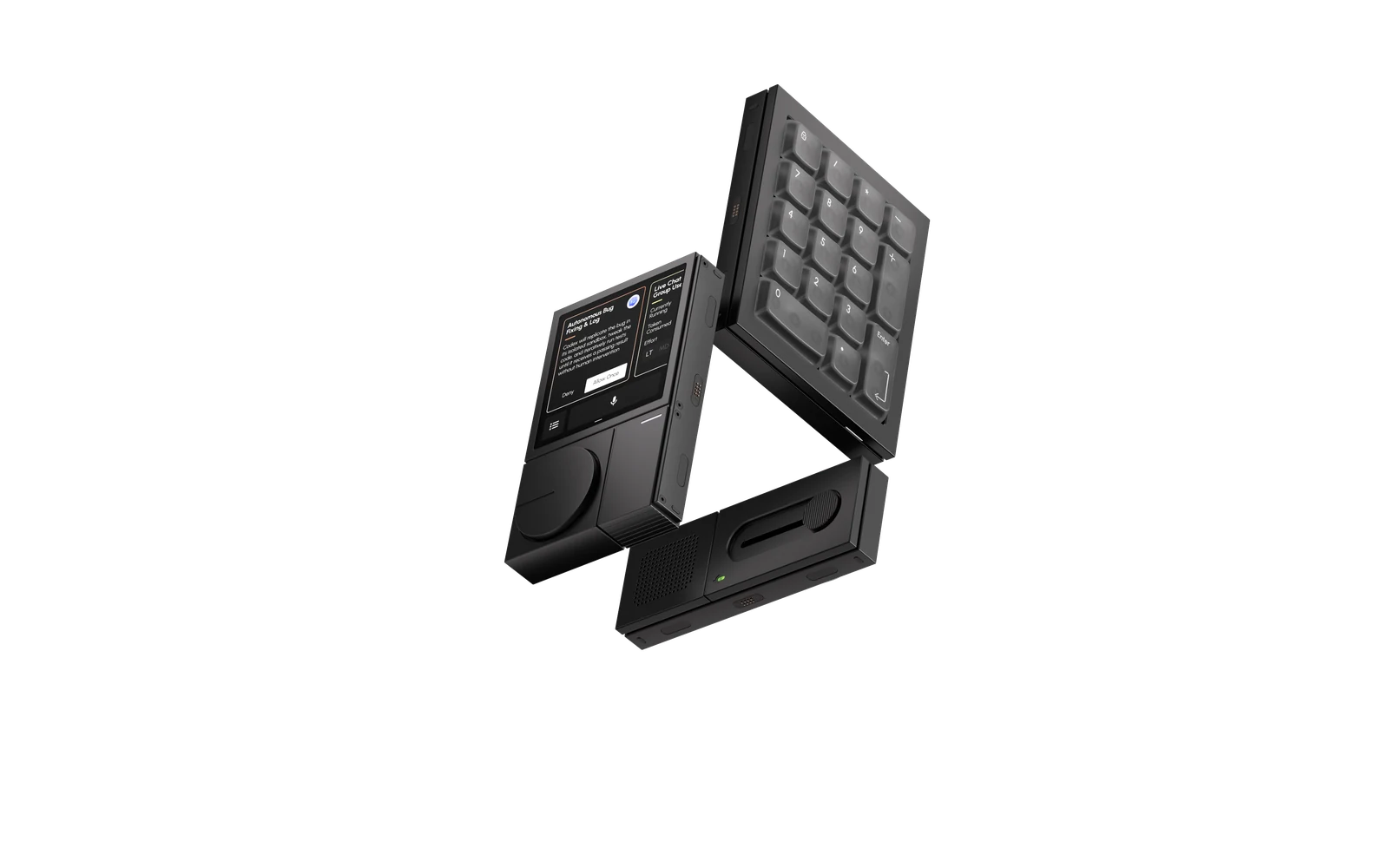
Magnetic Modules.
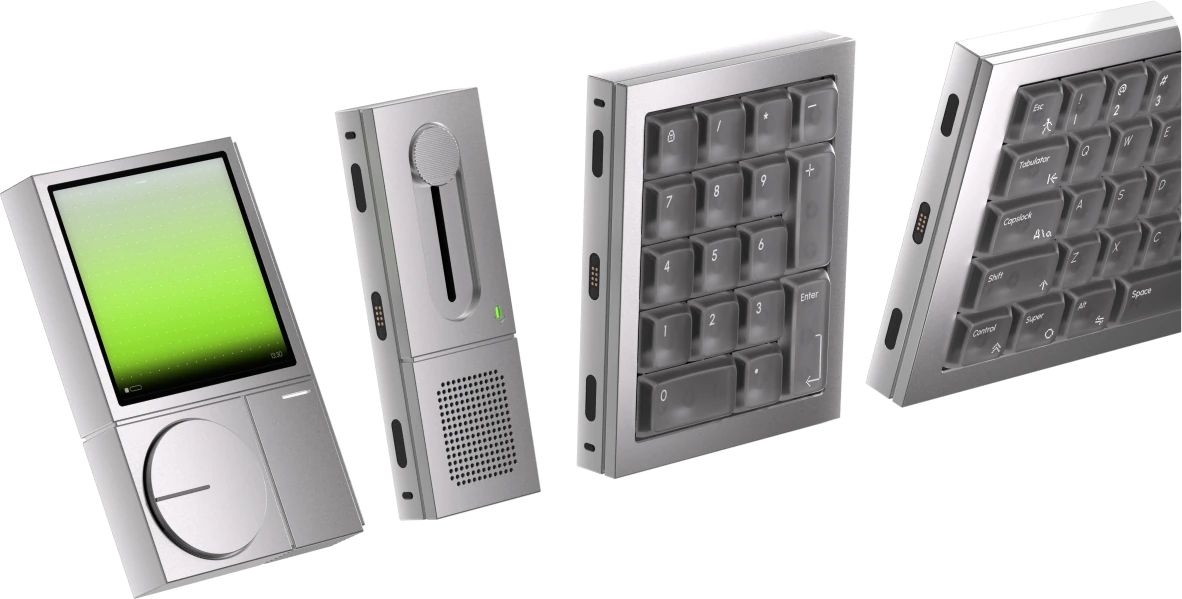
Snap together. Mix and match. 10+ combinations.


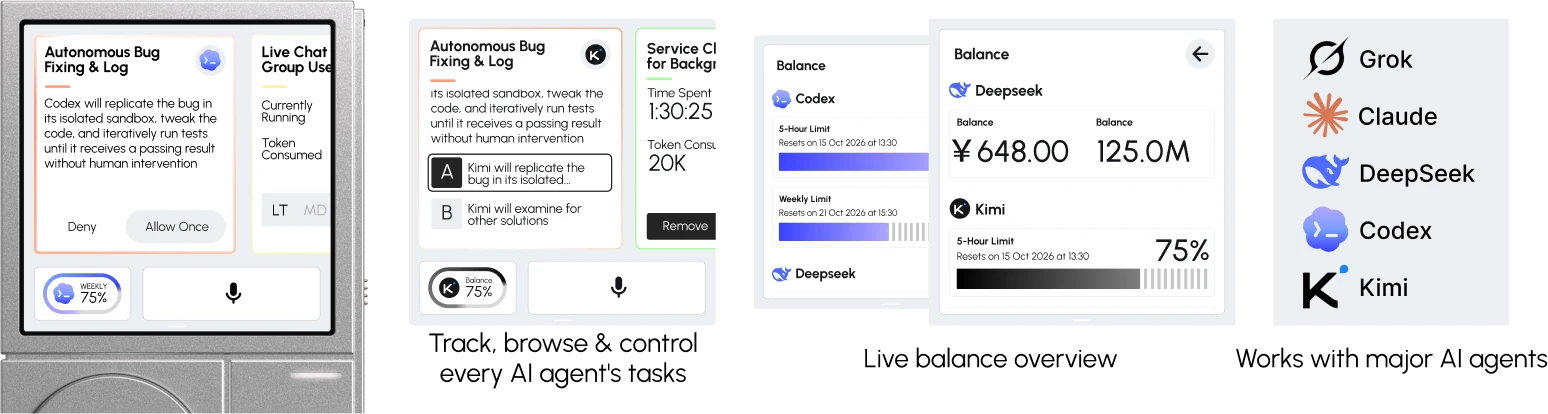
Codex will replicate the bug in its isolated sandbox, tweak the code, and iteratively run tests until it receives a passing result without human intervention


Currently
Running
Token
Consumed
A modular terminal built for the way you actually work with AI now
— touch, voice, and tools you describe into existence

01 / DESKTOP AI TERMINAL
Snap together. Mix and match. 10+ combinations.
Track, browse and control every AI task. See balances live.
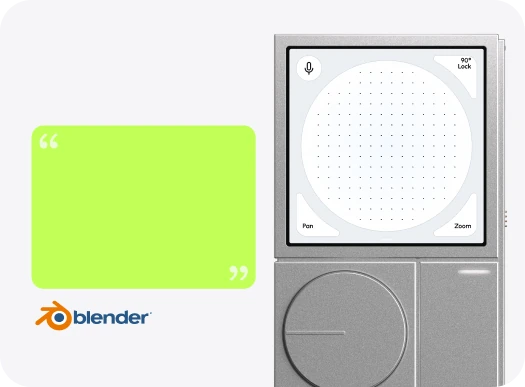
Describe it. AI builds it.
I want to use the touchscreen to control Blender's viewport, and add a Voice to 3D Object feature.
This Mini App is built by AI
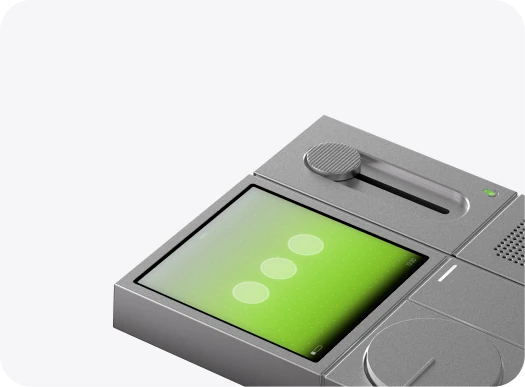
macOS & Windows gestures. Z-axis haptic feedback.
Gasket-mounted. Built for all-day typing.
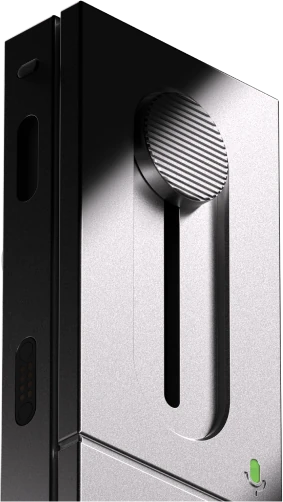
Speak. Make it happen.
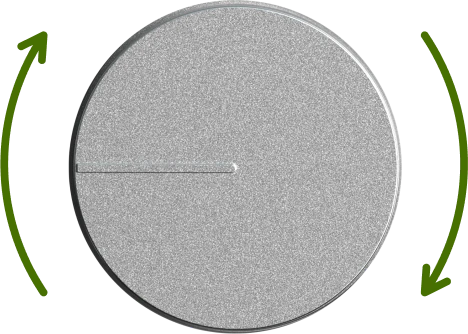
YouTube video progress control, Photoshop brush size, After Effects jog and much more.
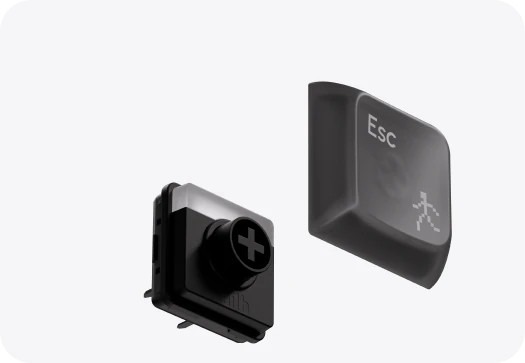
Built for your feel.
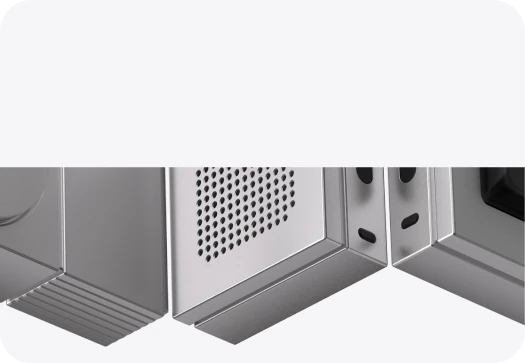
CNC-machined precision.
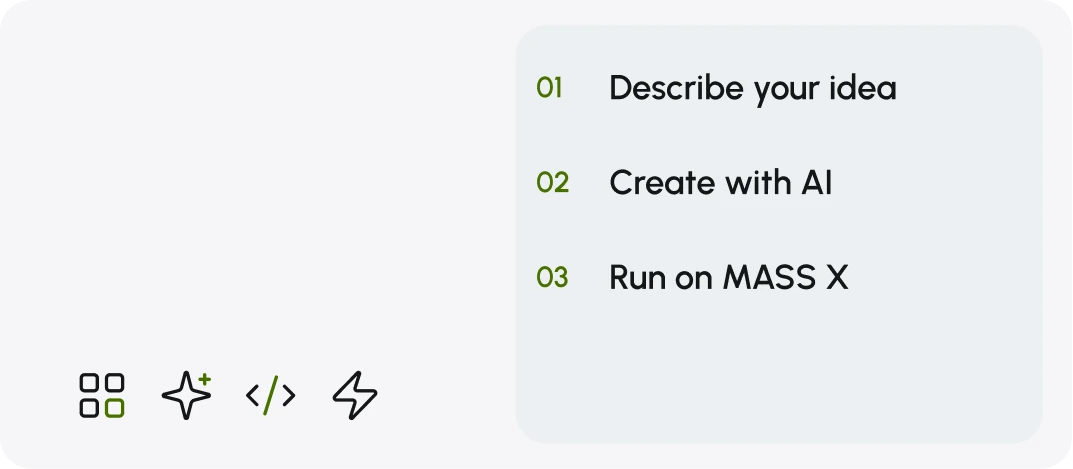
Make the tools you imagine.
Built-in apps & tools. One touch away.
02 / MASS OS

Check & Control AI Agent progress without switching away from your work.
More to come. Including yours.
3.1 / MASS X ZERO
Multi-touch display, programmable dial, and MASS OS with built-in Mini Apps.
3.1 / MASS X ZERO
Multi-touch display, programmable dial, and MASS OS with built-in Mini Apps.
4 ways to make it yours.
Keep AI Agent status, task progress, and Mini App information visible on your desk.
Multi-touch, gesture, and precision drag. Reach out and control it directly.
Feel the response, hear the feedback, and speak directly to AI.
3.2 / MASS X VOICE


With AI noise reduction.

Mute the microphone with a physical slider.

A light shows when the microphone is active.
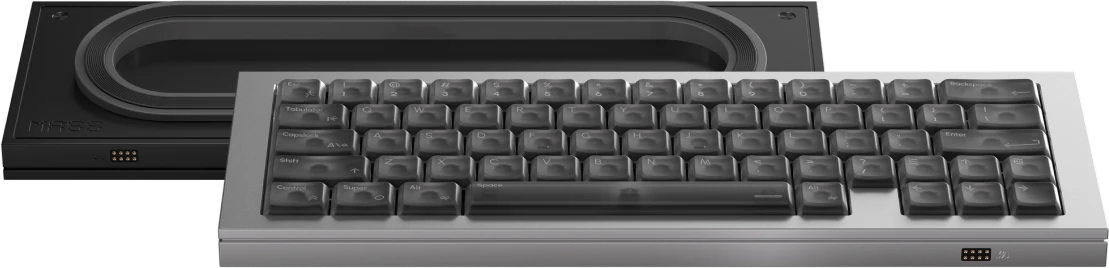
3.3 / MASS X TYPE CORE


More room on your desk.

Built for all-day typing.

Tactile · 40 gf · 50M keystrokes.

QMK firmware, fully programmable.

Durable, made for low-profile switches.
3.4 / MASS X NUM DECK


A full numeric keypad.

Key remapping and AI shortcuts.

Same refined design and PFF keycaps.
03 / MODULES
Start with Zero. Choose the modules that fit your workflow, with more to come.
Zero · Voice · Type Core · Num Deck
03 / MECHANICAL FOUNDATION
Precision-machined 6063 aluminum meets low-profile mechanical switches. Crafted to look as good as it feels.
04 / CHOOSE
Start with Zero. Build around the way you work.


05 / SPECIFICATIONS
| Category | Specifications |
|---|---|
| Display | 3.4-inch IPS display with multi-touch · 480 × 480 pixels at approximately 200 ppi · 60Hz refresh rate · 178° viewing angle · 550 nits brightness |
| Chip | Single-core processor · 600 MHz |
| Controls | Programmable rotary dial · Support for up to 10 simultaneous touch points |
| Audio | Built-in speaker |
| Haptics | Z-axis linear motor |
| Battery | 1,100mAh |
| Category | Specifications |
|---|---|
| Keyboard | 63% layout · Low-profile mechanical keyboard |
| Switches | Custom low-profile mechanical switches by Kailh · Hot-swappable |
| Keycaps | PFF low-profile keycaps |
| Customization | QMK firmware · Key remapping through VIA |
| Category | Specifications |
|---|---|
| Keypad | Full numeric keypad |
| Customization | Key remapping · AI shortcuts |
| Category | Specifications |
|---|---|
| Frequency Response | 60Hz to 20,000Hz |
| Signal-to-Noise Ratio | 65 dBA |
| Digital Output | 24-bit I²S |
| Controls | Physical microphone mute slider |
| Indicator | Microphone activity light |
| Category | Specifications |
|---|---|
| Computer Connection | USB-C |
| Module Connection | Magnetic attachment |
| Category | Specifications |
|---|---|
| Operating System | MASS OS with an LVGL-based user interface |
| Mini Apps | Dozens of built-in Mini Apps with ongoing updates · Support for custom and developer-contributed Mini Apps |
| Developer Tools | MASS OS SDK and documentation |
| AI Integration | Integration with local and cloud models |
| Platform | Requirements |
|---|---|
| Windows | Windows 11 Series |
| Mac | Mac with an Apple M-series chip |
| Linux | Support planned for a future release |
| Category | Specifications |
|---|---|
| Material | CNC-machined 6063 aluminum |
| Finish | 220-grit surface preparation · Anodized finish |
06 / FAQ
Yes. Zero is the only required module. You can use it on its own or add Type Core, Num Deck, and Voice to suit the way you work.
Yes. You can add Zero to your existing setup and keep using your preferred keyboard and mouse. Type Core and Num Deck are optional.
Our desktop app will support PCs running Windows 11 and Macs with an Apple M-series chip. Linux support is planned for a future release.
Yes. MASS X includes built-in Mini Apps for creative workflows, meeting controls, AI Agent monitoring, and everyday tasks. You can get started without creating your own.
No coding experience is needed to get started. Describe your idea in a simple prompt, and let AI help you turn it into a Mini App. If you’re new to creating with AI, MASS X is a great place to begin.
Start with Zero for its touchscreen, Mini Apps, and programmable dial. Add Type Core for low-profile mechanical typing, Num Deck for number entry and shortcuts, or Voice for voice input.
Yes. Zero’s programmable dial can control functions such as volume or scrolling. You can also remap Type Core’s keys through VIA.
Yes. Voice has a physical mute slider, a microphone activity indicator, and AI noise reduction.
Yes. Professional developers can use the MASS OS SDK to build more advanced Mini Apps and custom experiences. Other users can get started by creating Mini Apps with AI.
Online AI features require an internet connection. Offline availability depends on the Mini App and the software or services it connects to.
We plan to expand the MASS X ecosystem with more Mini Apps and hardware modules over time. Our developer program also welcomes creators who want to contribute.
Estimated delivery dates will be listed with each Kickstarter reward. We’ll share production and shipping updates through Kickstarter. If the schedule changes, we’ll explain the delay and provide a revised estimate as soon as we can confirm it.
07 / TIMELINE
Months of testing and refinement, from the first prototype to launch. Together, let’s shape what’s next and make it yours.
MASS X starts with a clear vision: a modular Desktop AI Terminal designed to grow with you.
The idea takes physical form. Our first prototype brings the modular design to life.
PCB prototype builds, testing, and pilot production begin, with MASS OS and core software development progressing in parallel.
The enclosure enters trial production, moving the design from prototype toward manufacturing.
Enclosure trial runs conclude, marking another milestone on the path to production.
Complete the PCB validation and pilot production cycle ahead of the Kickstarter campaign.
Discover the launch lineup. Find your MASS X. Help shape what comes next.
Share developer documentation with selected applicants, with direct support from our team to help bring their first ideas to life.
Begin shipping the first MASS X systems, with MASS OS, the desktop app, and the launch collection of Mini Apps ready to use.
Introduce the next MASS X modules alongside the first shipments, opening up more ways to expand your system.
Launch our community co-creation program. Gather your ideas and work directly with selected community members to bring new possibilities to life.
A dedicated home for MASS X Mini Apps. Discover a growing collection, brought together in one place.
A new MASS OS release and fresh Mini App content every month. Each update shaped by your feedback.
08 / GET READY FOR MASS X
Join the email list for Kickstarter launch updates. No payment or reservation today.


